Compared to Windows XP, Vista has more options in folder views. The folder views may not be consistent across all folders. Sometimes one folder will shows list details and other one shows folders in thumbnails. Many times you would like to see same folder views across all folders in Vista. Setting the folder view same across all folders is a simple step.


To set folder views same across all folders, first select the folder view which you would like to have from the views menu.
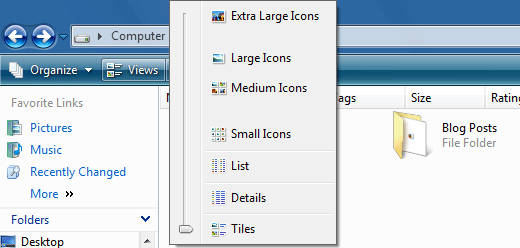
Once you have select the view, click Organize menu and select Folder and Search Options. Select View tab in the dialog and click the Apply to Folders button to have this view across all folders.
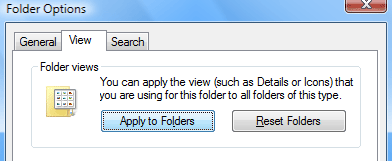
Now check the folders and you can see the same view across all folders. This method applies to Windows XP as well.
0 comments:
Post a Comment