Vista has lot of improvements over XP in features and design. People who use Vista for first time complain that many commands or features available in XP are missing in Vista. When using Vista for first time, it may be difficult to spot common commands used in XP and one such is the Run Command. Run Command is not available in Vista start menu by default. You can always use the run command using short cut key- Windows +R. If you need the run command in start menu, you can restore it in 3 simple steps.
1. Right click on the Vista start menu and click Properties.
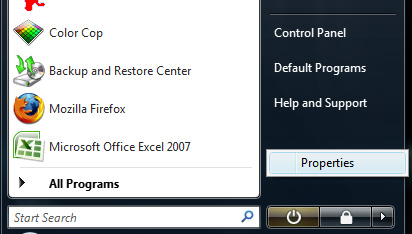
2. In the properties window select the tab and click Customize.
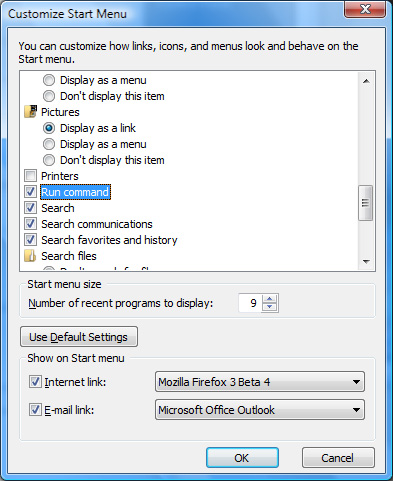
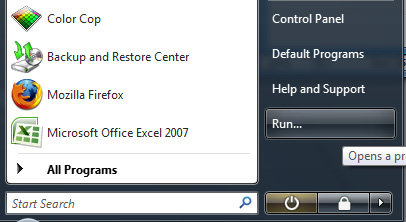
3. Scroll down and tick the box to the side of Run Command. Click OK and now you can see Run Command in the start menu.
0 comments:
Post a Comment